The complete path
A real system, from the library to the notification.
Seven steps, always the same, for any system. We really took them on the platform with a system from the library: here is what you see, step by step.
The system we follow
- Sell Put on SPY
- Monthly
- Since 2010: 53 trades in profit out of 56
- Worst historical loss: −10%
1 / 7 Choose
Explore
It starts from the library. The system closed 95% of its 56 trades in profit, with a profit factor of 5.2. The card also shows the three trades that went badly and the worst period.
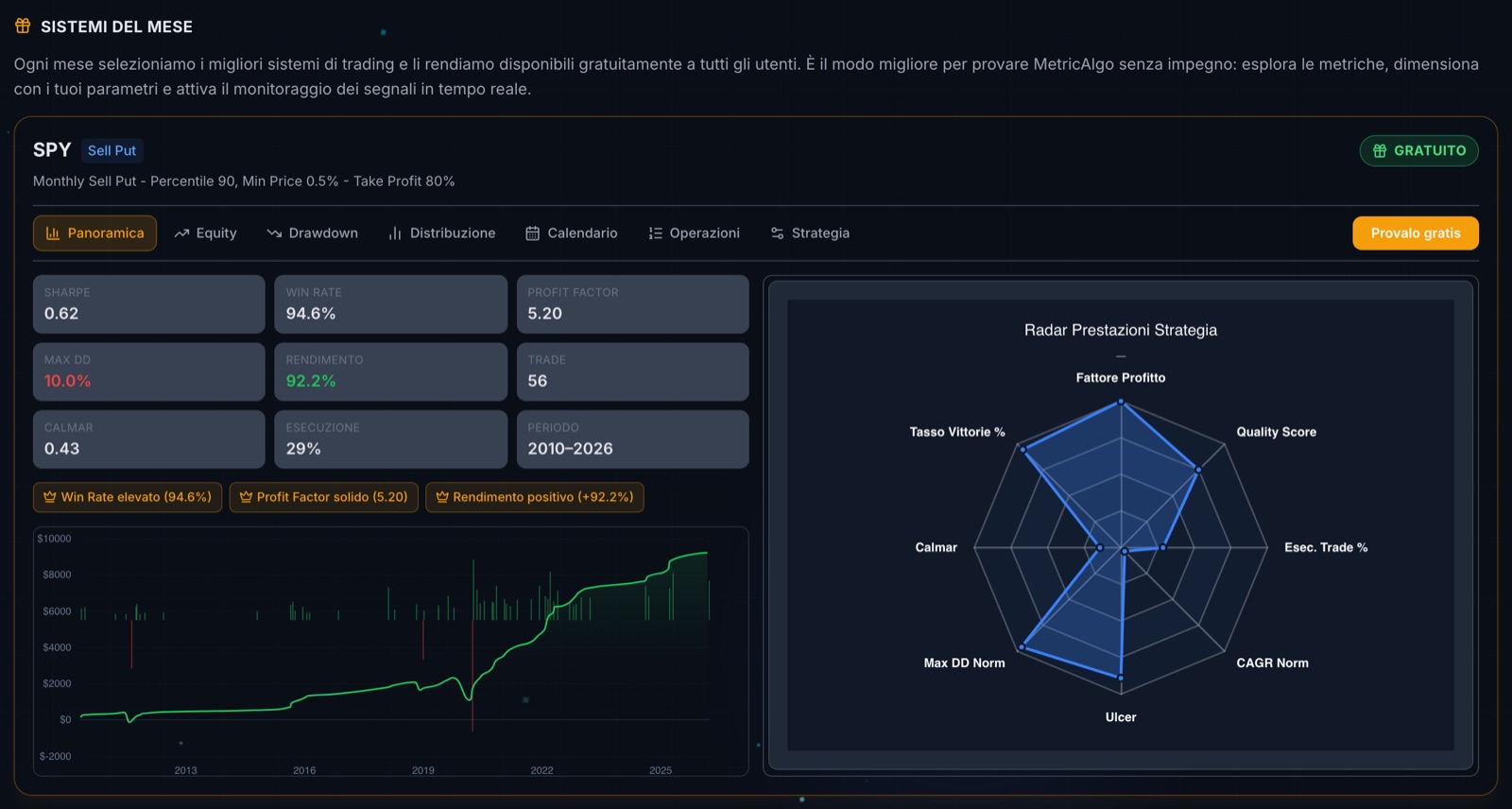
Step 1 · The system’s card: numbers, curve and radar. 2 / 7 Choose
Save
The heart puts it in the watchlist, next to the other systems that convinced us. From here on we work only on those.
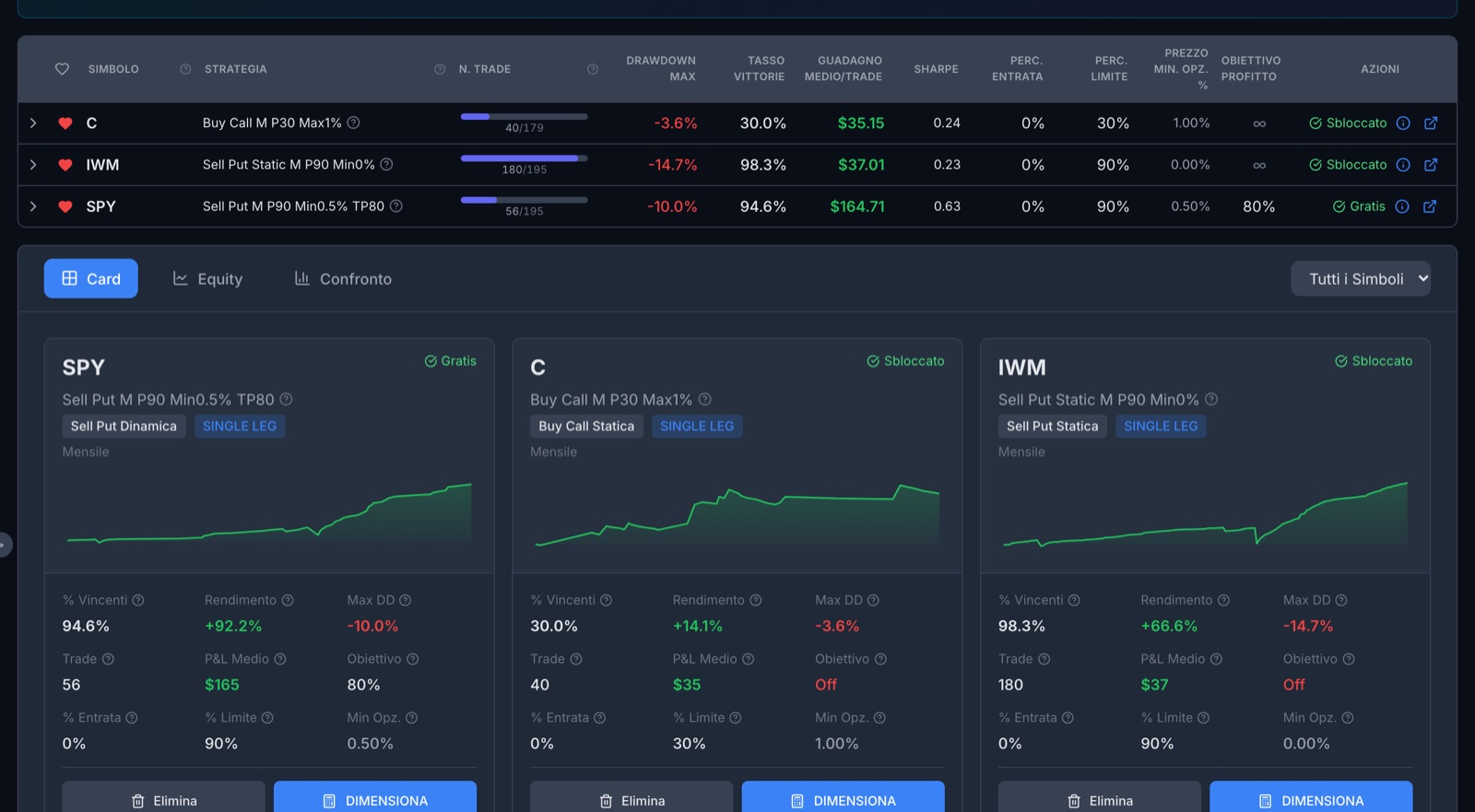
Step 2 · The system is in the watchlist, ready to be sized. 3 / 7 Size
Simulate
You open the calculator and enter your own numbers: capital, commissions, contracts, leverage, margin. We did it three times: $10,000 with no leverage, $60,000 with no leverage, $25,000 at 5:1 leverage.
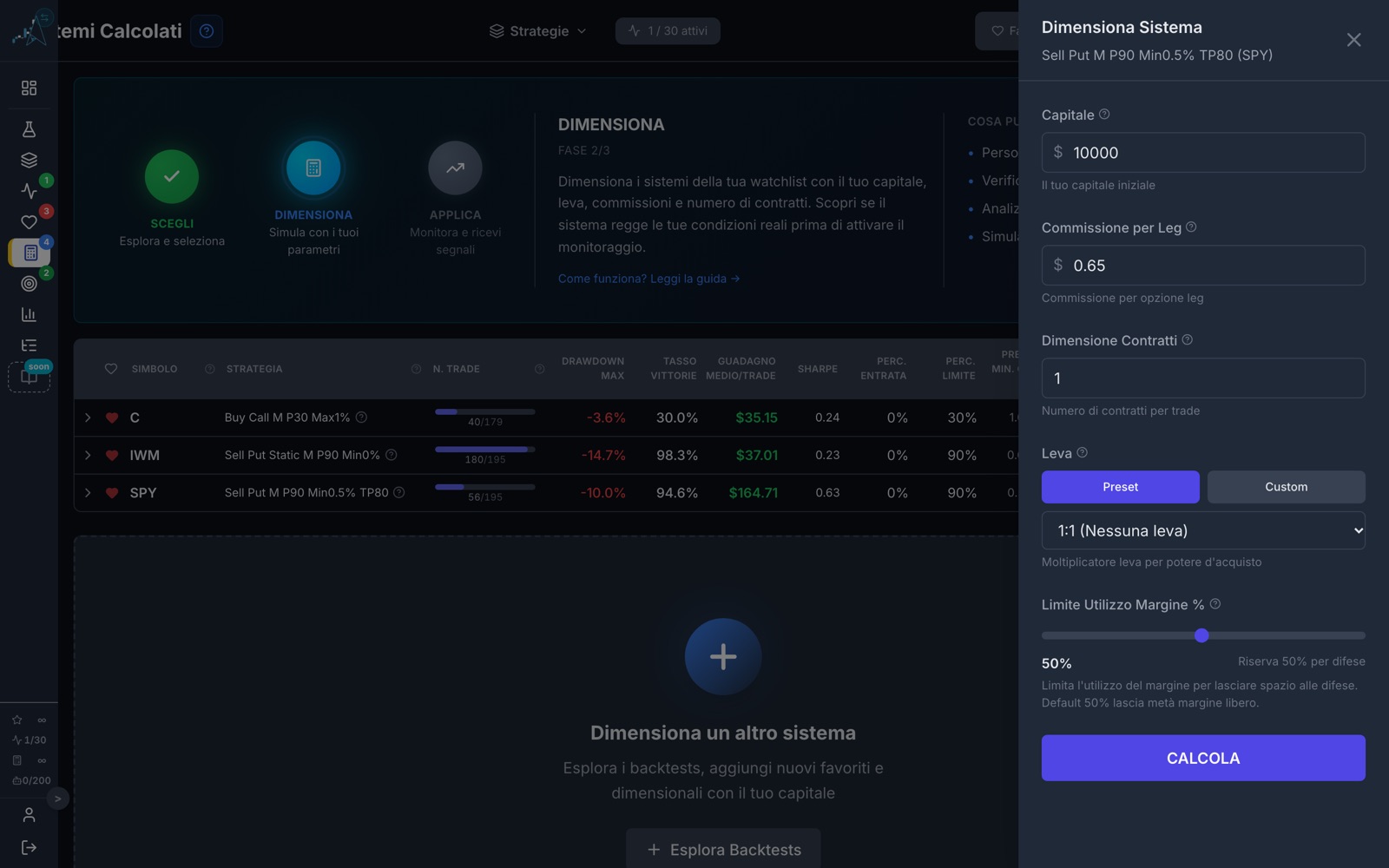
Step 3 · The calculator, with our numbers. 4 / 7 Size
Analyse
With $10,000 the system does not make a single trade: the margin is not enough. With $60,000 it makes 33 out of 56 and returns 5.15%. With $25,000 at 5:1 leverage it makes them all: +37.05%, with a worst loss of 4.49%. We choose this one, knowing that leverage makes the losses bigger too.
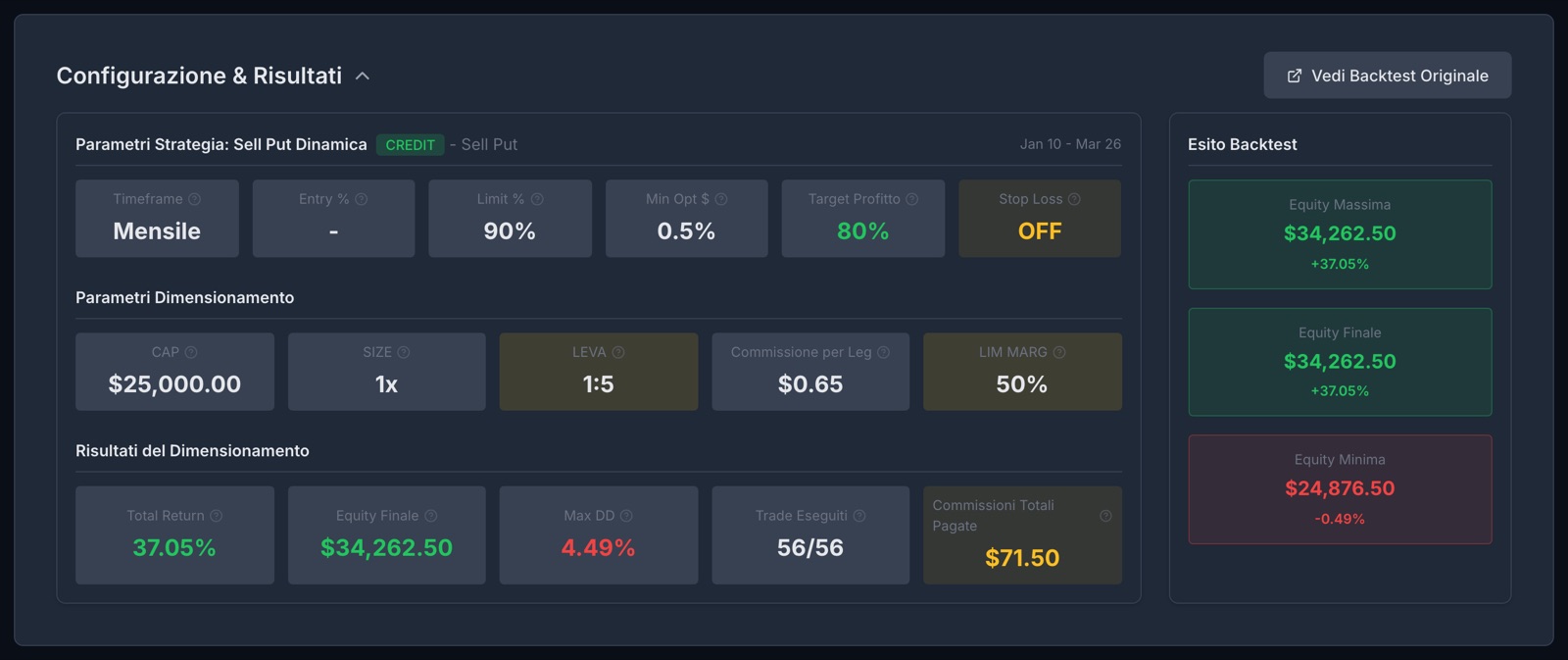
Step 4 · The result we chose: 56 trades out of 56, +37.05%. 5 / 7 Apply
Turn on
Apply brings the simulation into our systems; a second step turns it on. From now on the platform checks the entry conditions.

Step 5 · The SPY system is active. 6 / 7 Apply
Set up
For this system we choose where to receive the notifications: the web platform is always there, and on top of it we switch on email.
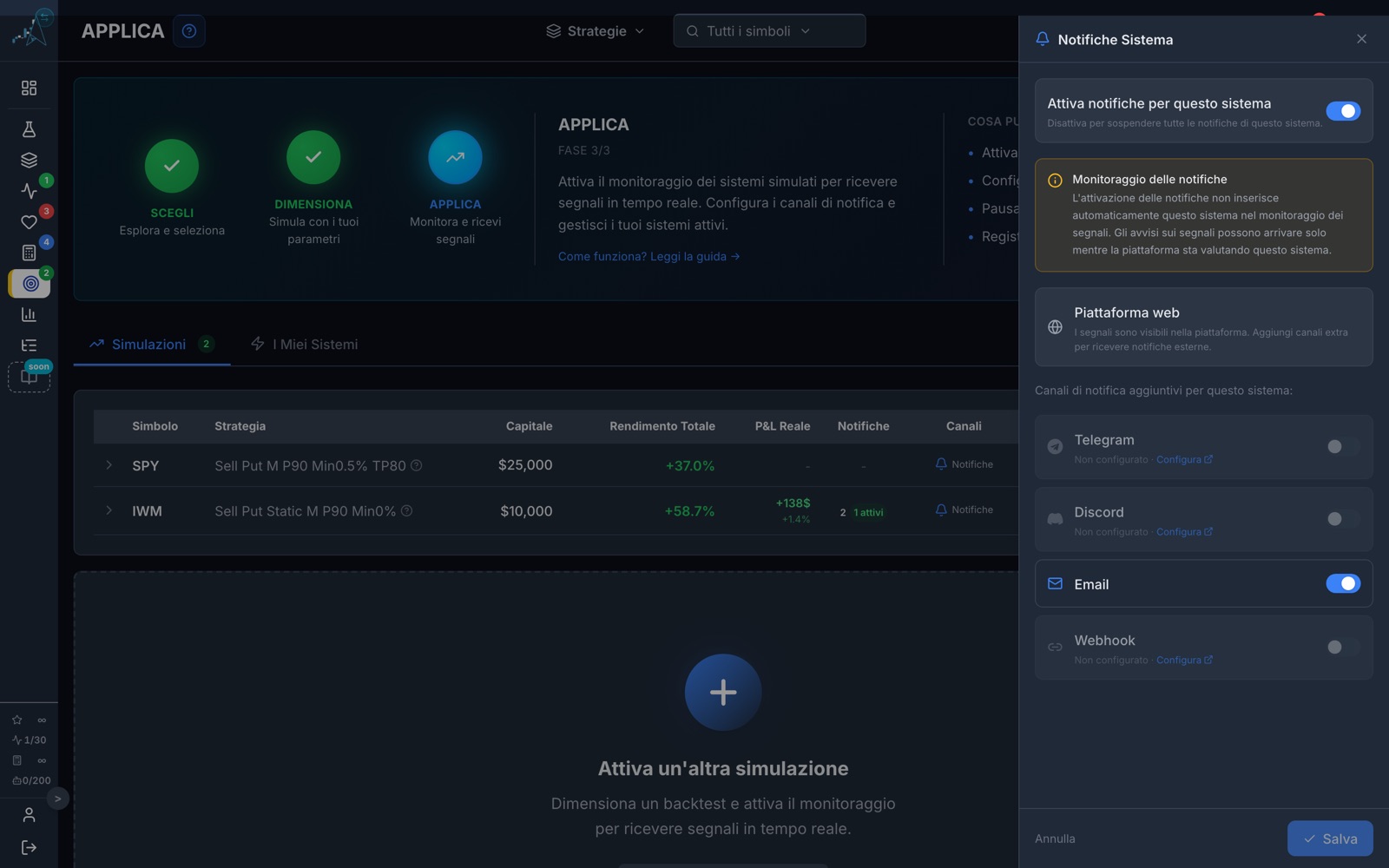
Step 6 · The channels of this system. 7 / 7 Apply
Monitor
When the conditions appear the notification arrives, and the trade can be followed until it closes, with the result kept up to date. If we decide to enter, we place the order ourselves with our broker.
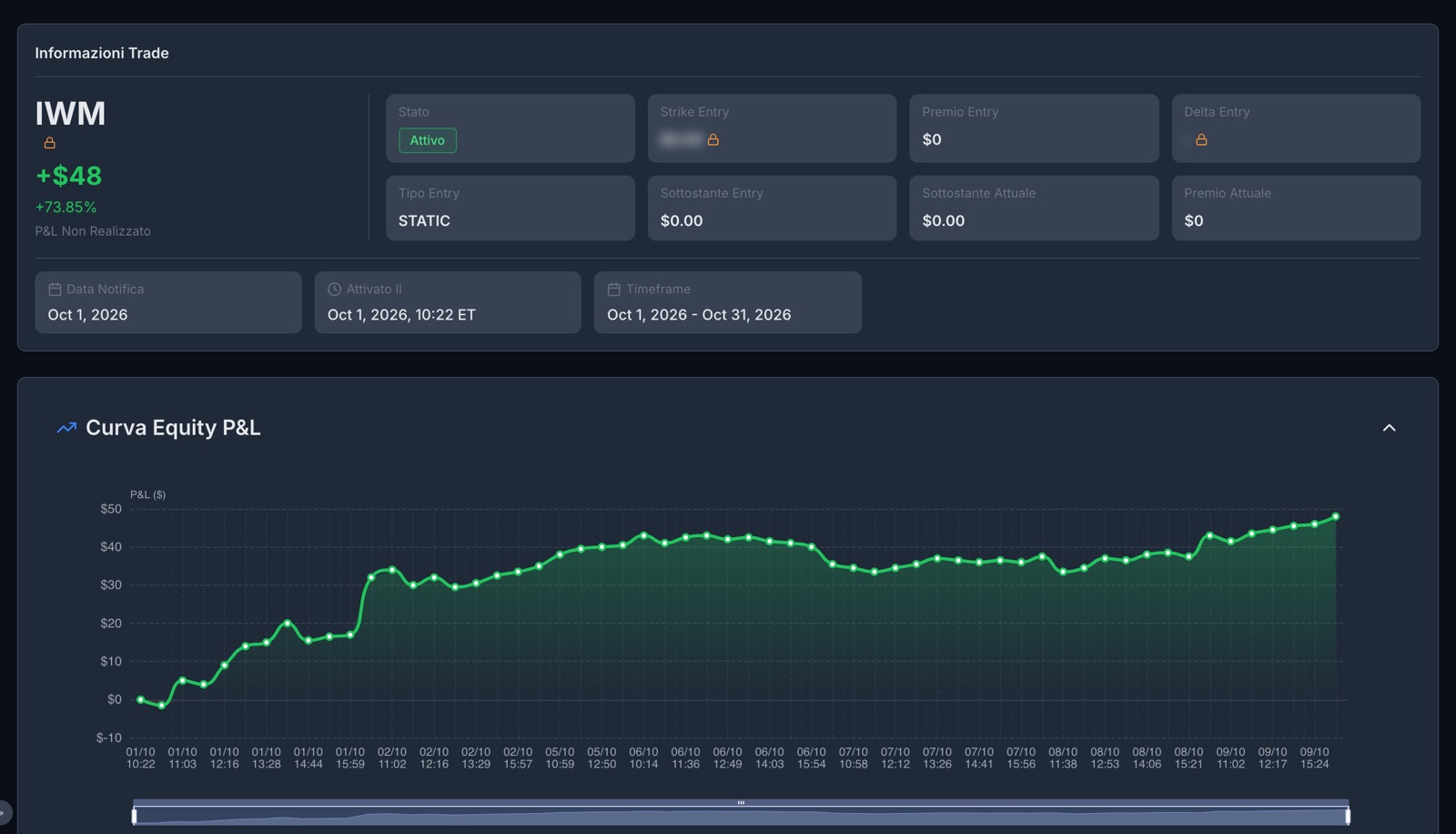
Step 7 · A notification that fired and its trade in progress.
An honest note on step 7. The system on SPY is monthly and we turned it on in mid-October: its next entry window is in early November. To show you what a notification looks like once it has fired, we used another system on the same account, a Sell Put on IWM that entered on 1 October.
You do not have to start from the library.
There are always seven steps, but the first one can change.
- From the Studies: you look at a market from above and go down into its systems
- From Active Systems: you discover a system while it is working
- From the System of the Month: a whole system, free, ready to be sized
Your turn, and it starts free.
With the Free plan you take all seven steps: you choose from the library, simulate without limits and turn on your first system.